Cloud AI agents,
local execution environment.
dwb-bridge Let DW, Claude Code and Codex read code, run commands and reach your intranet right on your computer. Every step in front of you, every change under your permissions.
agent Smart, but it can't touch your work.
Code, intranet, credentials, real devices and GPUs are all on your computer. Instead of moving them into a cloud sandbox, bring the agent to them.
With your environment
Local repos and uncommitted changes, intranet services, logged-in CLIs, connected phones, graphics cards: the agent can use them right away.
By your rules
Four permission levels: plan mode, ask every time, auto-edit and full access, switchable at any time. When unsure, it asks you first.
in front of you
The terminal and web app show every command and change in sync. Chime in to correct course at any time, or interrupt with one click.
不用Install Codex, Claude Code,
也不用in每MachineSign in AI Account.
agent 和Account留in云端, 新Machine上只装一个不依赖任何运行时的小程序. 新服务器, 临时虚机, 同事的电脑, 三分钟就能让 agent 开工.
一个小程序就够
不装 Node, Python, 也不装本地 agent. 一行命令装好 dwb-host, 用完删掉一 files即可.
Account只in一处Sign in
AI Account和凭据不Copy到每Machine, OtherMachine只有一个可随时重置的 key, 减少凭据扩散.
多Machine统一查看
每Machine上的session和每commands, 都in同一个WebConsole里, 事后可追溯.
See the plan first, then act.
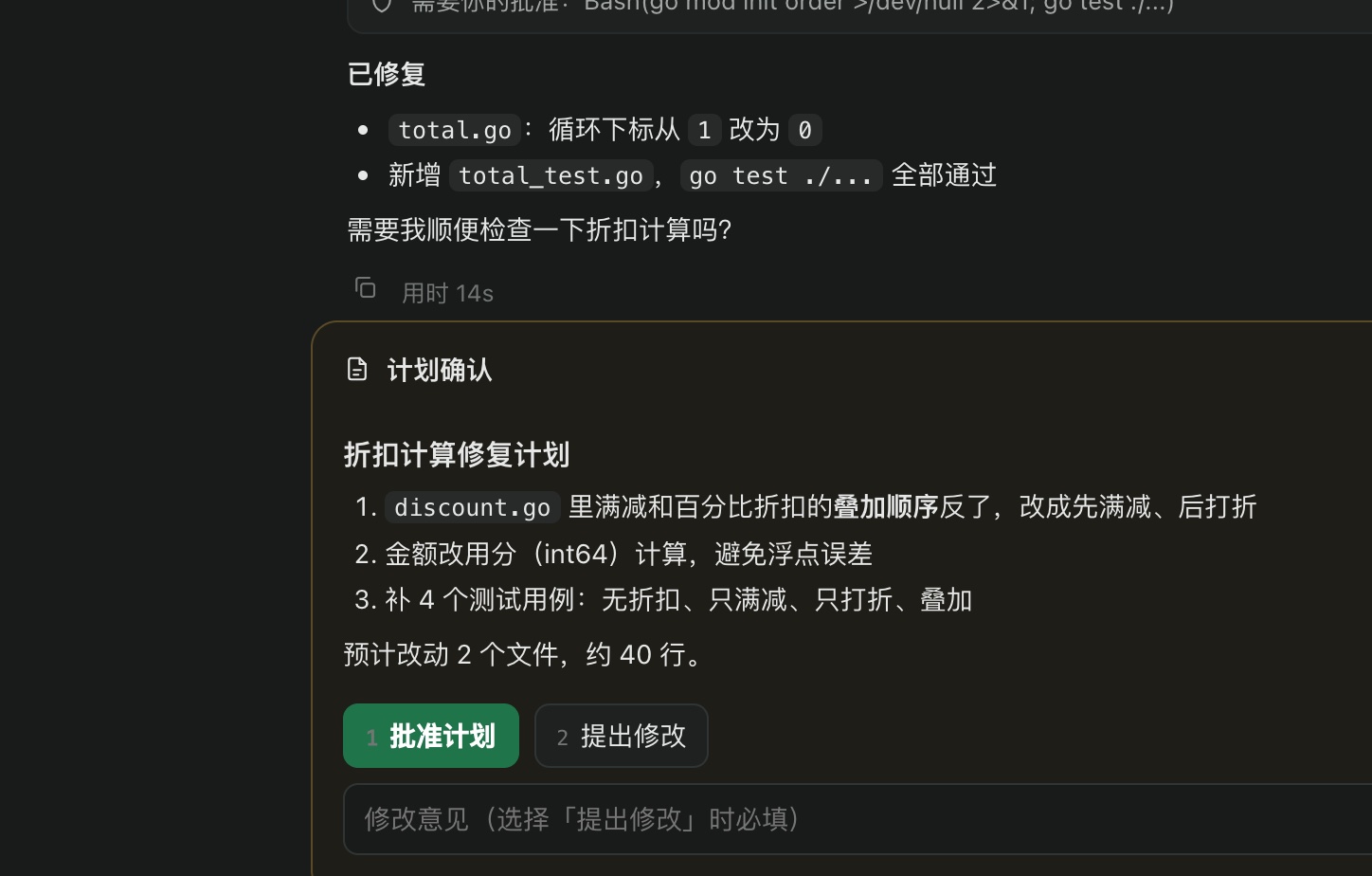
Before big changes, the agent hands you its plan to review first. Actions that need approval pause above the input box: press 1 to approve, 2 to suggest changes, or reply y in the terminal.
- In plan mode it analyzes read-only and only starts changing after the plan is approved
- The web app and terminal both notify you; whichever responds first counts
- Every decision stays in the conversation history
Every change,
clear at a glance.
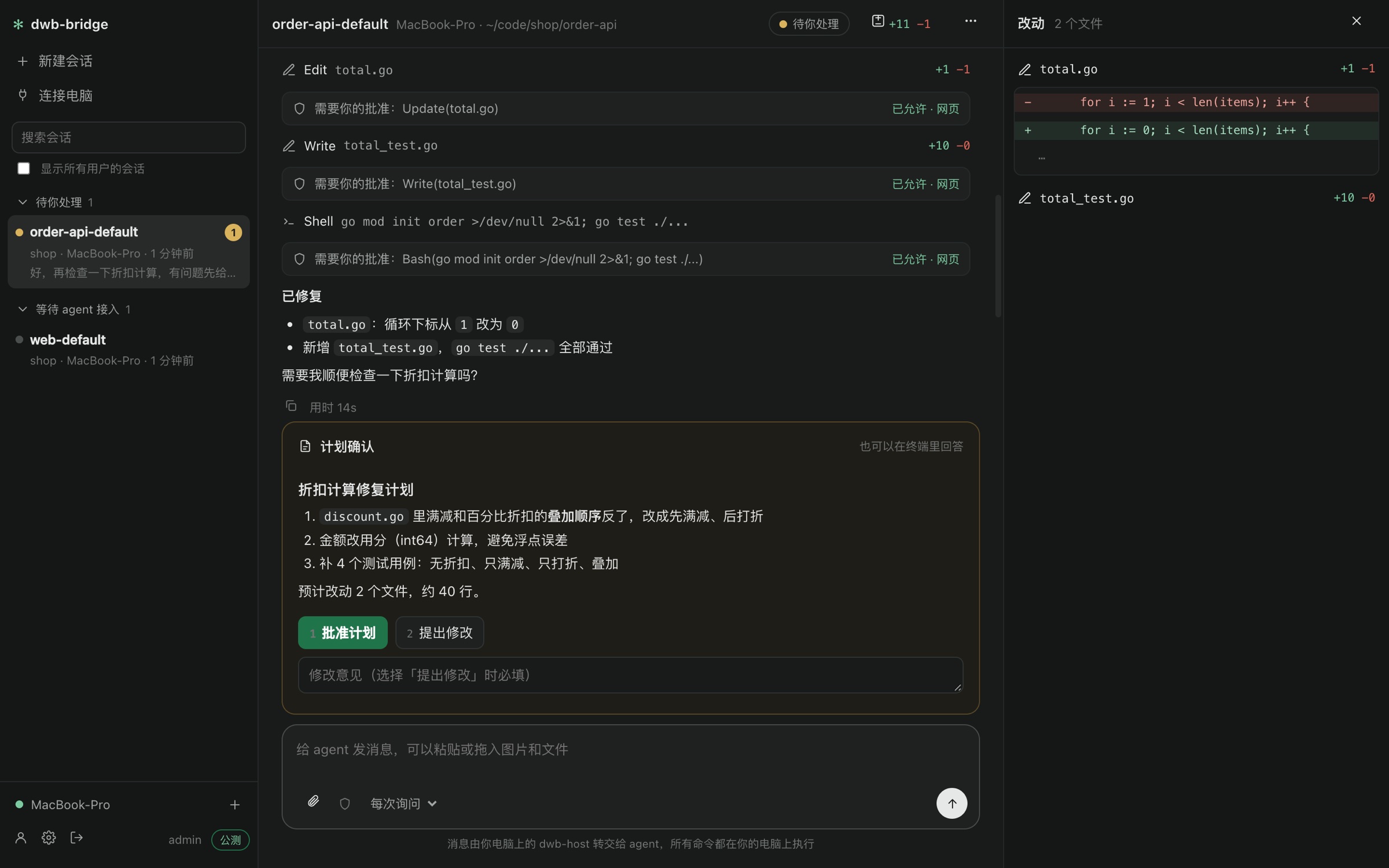
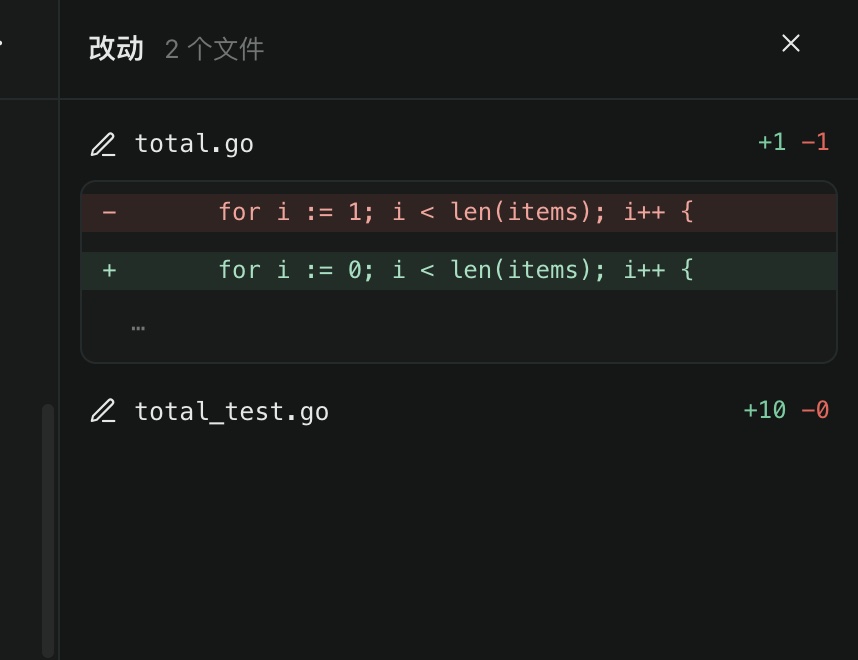
agent Every changed file is gathered in the right-hand panel, listed with lines added and removed. Open one to see the red/green diff, no more digging through terminal history.
- Lines added and removed per file
- Every edit in the conversation can be expanded
- Failed or rejected changes are not counted
In the web app,
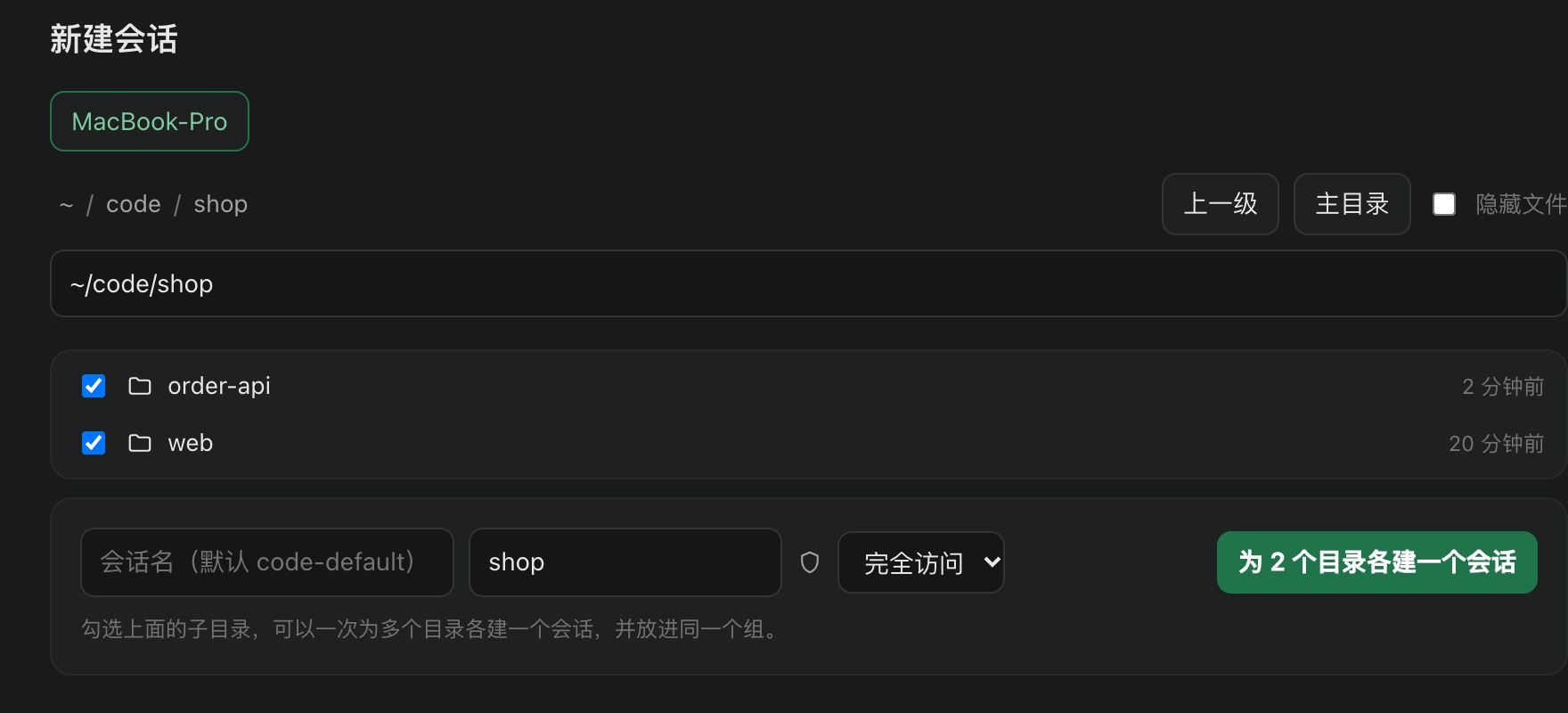
Open any directory on your computer directly.
Once your computer stays online, you can browse its directories in the web app and pick a folder to start a session; select multiple repos to create a group of sessions at once.
- Set the permission mode per session
- Multiple repos can go in the same session group
- Once created, copy the line and send it to the agent, and it starts working
Only on your computer,
can these things get done.
Real-device debugging, sensitive data analysis, intranet troubleshooting, local GPU... each article comes with an example you can use as-is.

少inMachine上Sign in AI Account: 用一个云端 agent Security地管很多电脑
每电脑都装一份 AI 工具, Sign in一次Account, 凭据散落各处, 容易被盗用, 也容易因as异常Sign in被风控. 用 dwb-bridge 让Account只留in一个地方, 合规又省心.
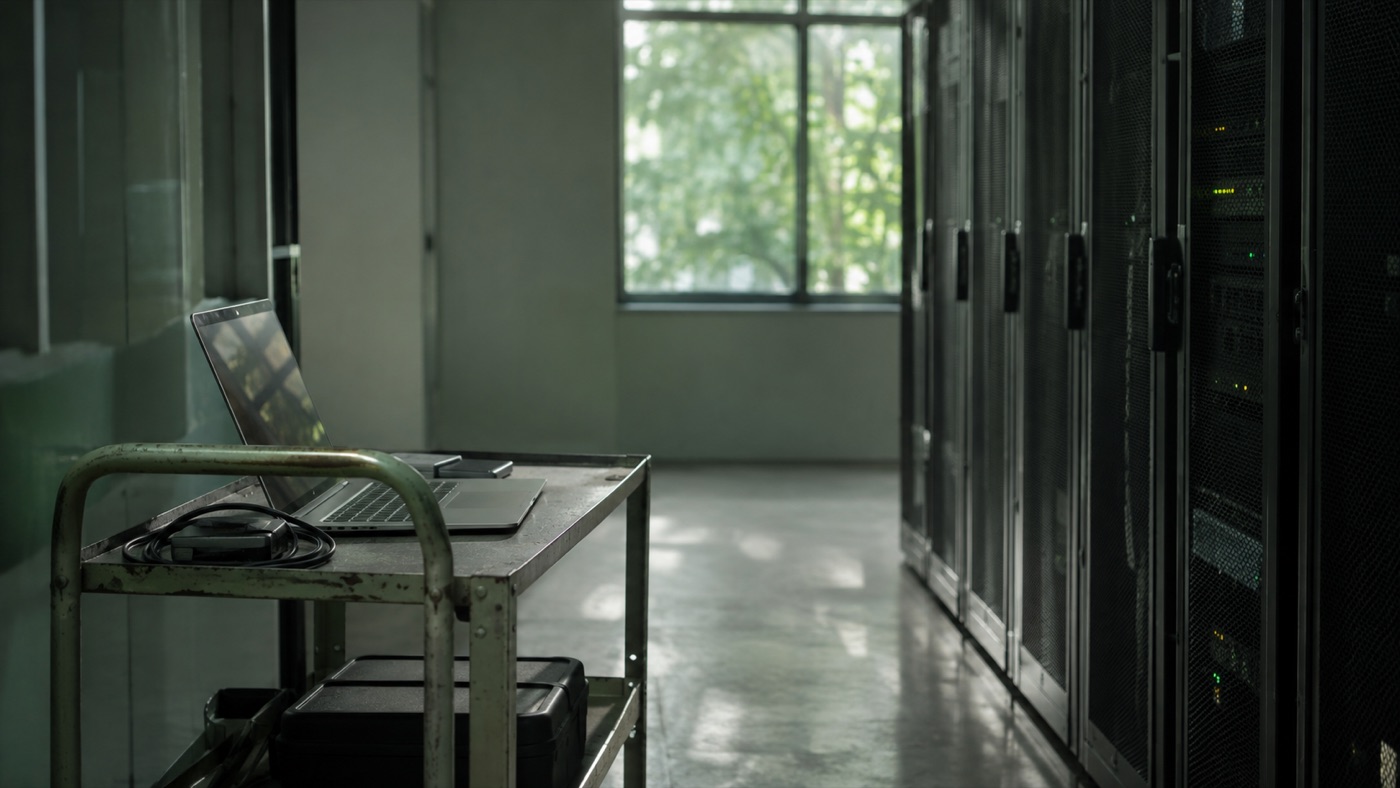
新Machine上 3 分钟让 agent 开工: 不用Install Codex, Claude Code
新服务器, 临时虚机, 同事的电脑......不用装 Node, 不用装任何本地 agent, 不用Sign in AI Account, 只装一个小程序, 云端 agent 就能直接in那Machine上干活.
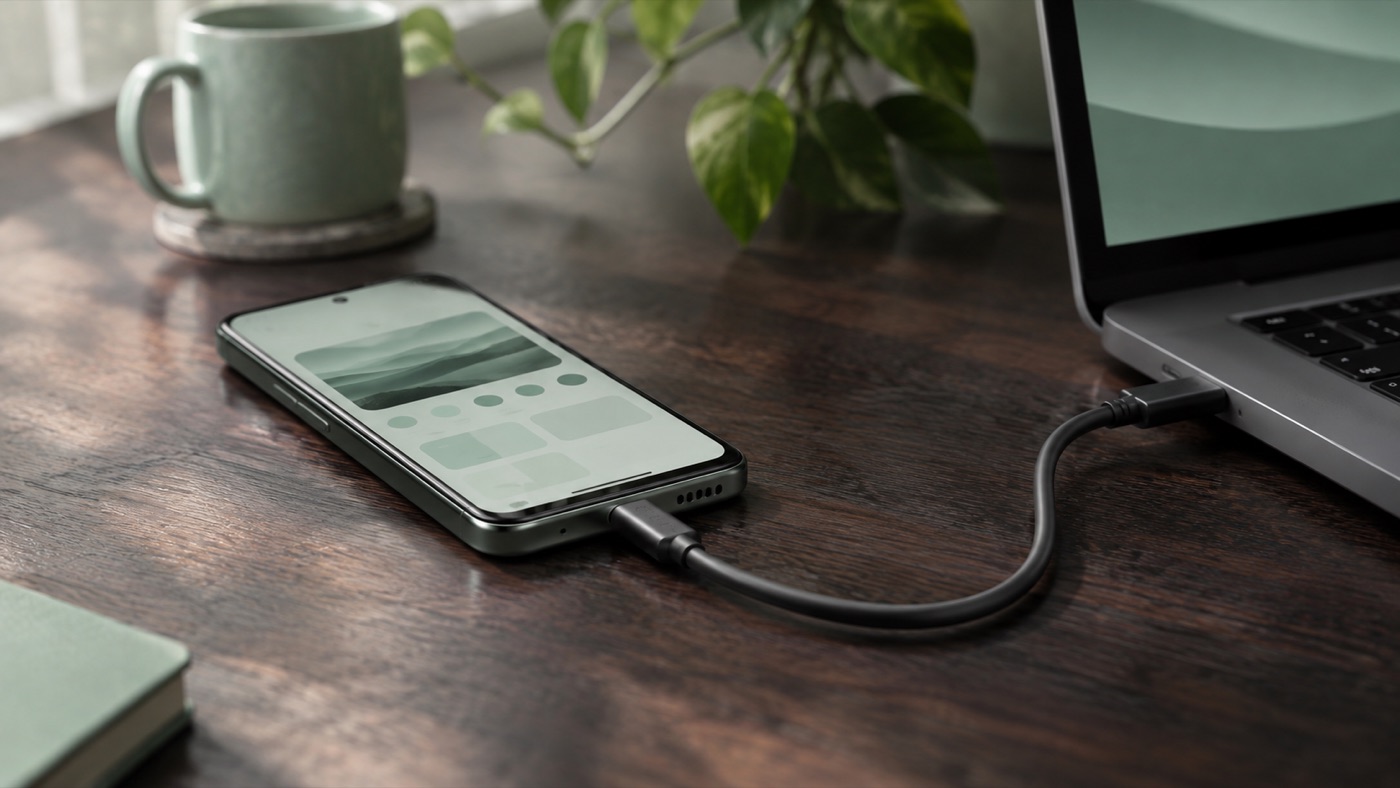
Let a cloud agent debug on the real Android phone on your desk
There is no phone in a cloud sandbox. Once connected to your machine, the agent can install packages, read logs, take screenshots and reproduce crashes via adb, closing real-device issues on the spot.

Use your locally logged-in kubectl and cloud CLIs to let the agent manage cloud resources
No need to hand kubeconfig or AccessKey to any cloud environment. The agent reuses the CLI tools already logged in on your computer; checking clusters, viewing status and making changes all happen right in front of you.
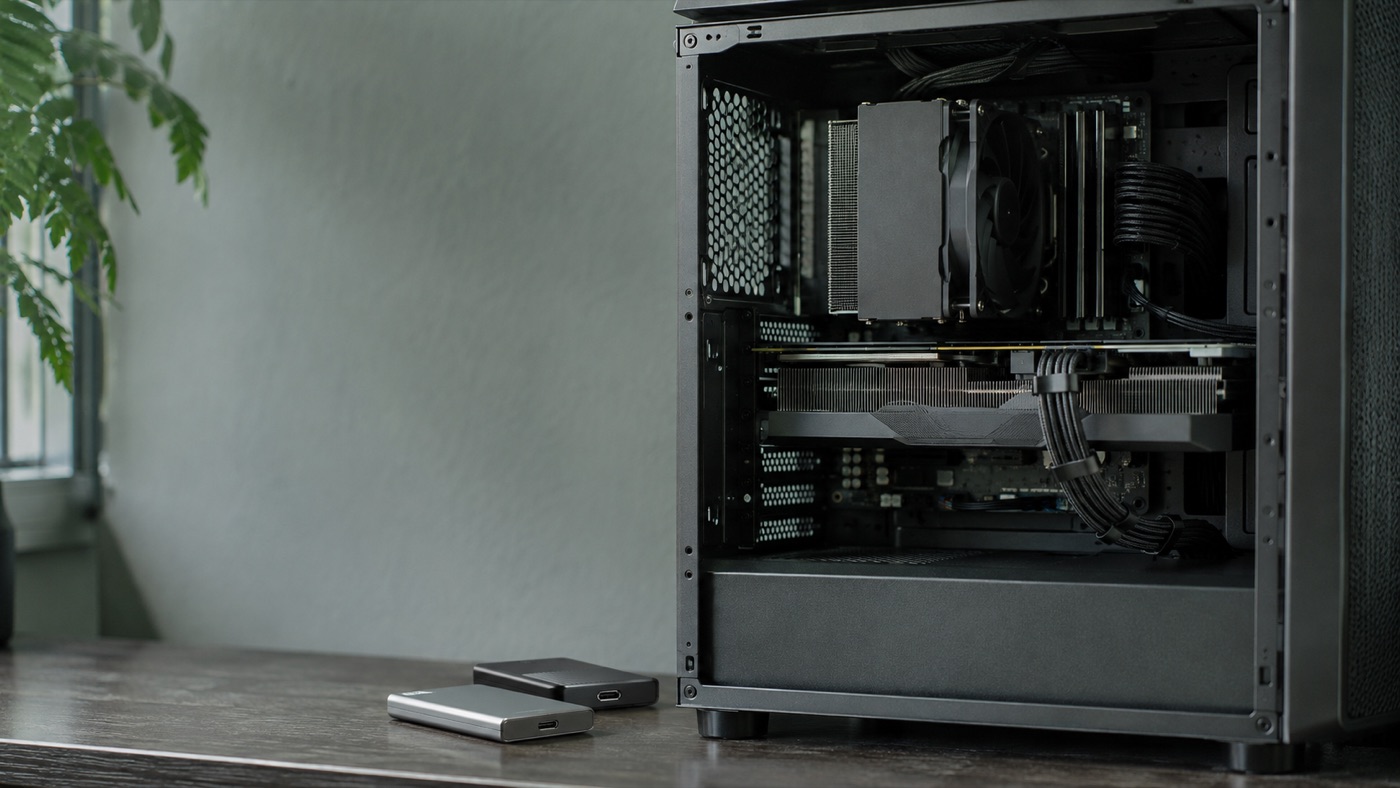
Tens of GB of footage and a local GPU, handed to the agent without uploading
Moving large videos, model weights and huge logs to the cloud is slow and costly. Let the agent use the local GPU and disk on your workstation directly, with the results right at hand.
During live alerts, let the agent troubleshoot with you using your intranet access
Cloud agents can't reach the company intranet. Connect the on-call engineer's computer and it can use the local jump host tools, monitoring and log platforms to investigate, reaching a conclusion in minutes.

Local multi-service integration: have the agent run the whole environment for end-to-end tests
One feature touching three repos and five services? Have the agent bring up the whole environment with docker compose on your computer, change code across services and run end-to-end tests.

Hand repetitive computer tasks to the agent: file organizing, format conversion, weekly report generation
Batch renaming, archiving invoices by month, extracting info from a pile of documents, writing weekly reports from commit history... describe it once and the agent writes and runs a script on your computer.
Try it yourself.
On the left is the conversation in the web app, on the right the terminal on your computer. Pick a scenario, or chime in while the agent is working.
Three minutes to connect your computer.
Supports macOS and Linux. No public IP or open ports needed.
Install
One command installs a standalone small program.
Start in the project directory
key Get it in the console; you only need to enter it once.
Send that line to the agent
dwb-host It prints a line; send it to DW, Claude or Codex and it gets to work.
runs,
always on your computer.
Start free first.
The free plan covers the full experience; upgrade to Pro when you need more computers or more sessions at once.
FAQ
dwb-bridge What is it?
It connects a cloud AI agent to your computer: the agent can read and write files and run commands in the directories you specify, using your local network and tools. You see what it is doing in real time in both the terminal and the web console.
Which agents are supported?
Any cloud agent that can run shell commands works, such as DW, Claude Code and Codex.
Is it safe? What can the agent do?
agent has the same permissions as you do in this directory. You can choose plan mode, ask every time, auto-edit or full access; every command is shown in your terminal, and you can interrupt it or end the session at any time.
Do I need a public IP or open ports?
No. Your computer only makes outbound connections, so it works on corporate networks, home networks and behind proxies.
What happens after I close the terminal?
Sessions are kept. Run dwb-host again in the same directory to pick up where you left off; the agent does not lose context.
Does it cost anything?
There is a free plan (1 device, 1 session) and Pro (2 devices, 10 sessions, from ¥19.9 per month). Users with a trial card get 7 days of Pro for free.
Hand the work to the agent,
You make the call.
Connect your computer in three minutes; the free plan is always available.